SYSTEMS

NETWORKS · CLOUD · SYSTEMS

Camille
Stennis

Air Force communications at Joint Base Andrews. Six years running podcast production. Now building network and cloud infrastructure, one homelab entry at a time.

Scroll
About

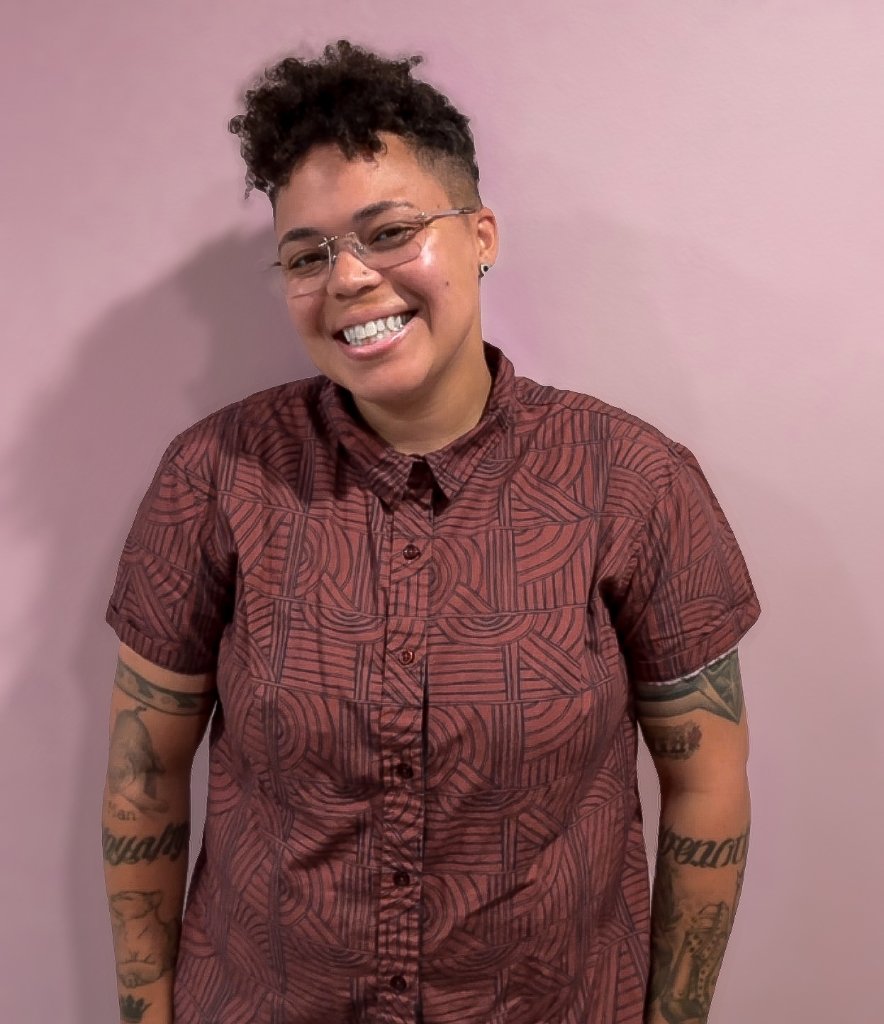
Camille Stennis

I keep systems running under pressure. That’s been the job my whole career.

At Joint Base Andrews, that meant high-frequency radio operations across 13 mission-critical communications systems, with a Top Secret clearance and zero tolerance for downtime. Since 2020, it’s meant running podcast production at OWN, Rebel Girls, Latitude Media, and Forever Dog, where I led the MOM Network’s full show slate: 4+ shows, budgets, vendors, and deadlines that don’t move. Along the way I managed security integration projects at Gavin de Becker & Associates and ran ballistics analysis for crime gun intelligence.

Now I’m going back to where I started: infrastructure. The bones of a system are what hook me, and networking is where I want to build my career. I’m earning an AS in Cloud Computing at Santa Monica College and working through AWS Cloud Practitioner, Security+, and CCNA. At home, I run a Proxmox homelab that I’m turning into a network lab, starting with Cisco Packet Tracer and moving to GNS3. The log below shows every step, including what breaks.

I’m open to NOC, help desk, desktop support, network technician, and cloud support roles, especially at MSPs and on Pacific Time. I also still take on senior production, audio, and voice-over work.

Homelab Log

Building, Breaking, Learning

Documenting my homelab build as I learn networking and cloud infrastructure hands-on: real progress, real mistakes, real lessons.

From zero to a running VM

What I did

  • Sourced and assembled a full homelab rig from scratch: a $188 refurbished Dell OptiPlex 3060 SFF, a monitor, keyboard/mouse, and a dual-connector USB drive, all bought used or on a budget.
  • Wired the machine into my home network, confirmed the NIC and static IP entirely from the command line before ever touching a browser.
  • Installed Proxmox VE (a bare-metal hypervisor) directly onto the hardware, configured with a static IPv4 address instead of the default IPv6.
  • Created and installed my first virtual machine (Ubuntu Server 24.04), fully isolated from the host.
  • Set up SSH so I can manage that VM entirely from my laptop, no monitor or keyboard required going forward.

What broke / what I learned

  • My HDMI cable didn't fit the OptiPlex's port. Turned out the “HDMI” label on the refurb listing was wrong: it was actually DisplayPort. Fell back to VGA for the one-time setup screen instead of buying the wrong adapter twice.
  • balenaEtcher (the tool I planned to use to flash my installer USB) threw a bug on both local file and URL flashing. Skipped it entirely and used dd via Terminal instead, which is honestly the more “real” way people do this anyway.
  • Learned the hard way that Proxmox's default free-tier repo setup throws update errors until you manually disable the enterprise repos, an easy one-line fix once I knew to look for it, but not obvious from the UI alone.
  • Biggest lesson: almost nothing about this was plug-and-play. Every step had a small decision to make or a small thing to debug, which is exactly the muscle I'm trying to build for SOC work.

What's next

  • Install Docker on the Ubuntu VM and get my first containerized service running.
  • Buy a managed switch and start segmenting my network into VLANs.
  • Eventually: build out log aggregation so I can practice actually monitoring what I've built, not just running it.

Following along or building your own? I'd love to hear what you're working on.

Docker + my first container, explained without the jargon

What I did

  • Installed Docker on my Ubuntu VM (the virtual computer I built last time).
  • Set up Portainer, a dashboard that lets me see and manage everything Docker is running, without typing commands for every little thing.
  • Deployed my first container: a small web server running a test page.

The plain-English version

Think of my physical computer as an apartment building. Proxmox (the software I installed directly on the hardware) is what let me carve that building into separate apartments, each one a fully independent “unit” with its own walls, its own everything. My Ubuntu VM is one of those apartments.

Docker works differently, and inside that one apartment. Instead of building more walls, Docker is more like buying a bunch of matching, ready-to-go furniture sets, each one a “container”, and dropping them into different rooms of the same apartment. Each one is self-contained and comes with everything it needs already assembled, but they're all still sharing the same electricity and plumbing (the apartment's operating system) underneath. That's the real difference between a VM and a container: a VM is its own separate apartment, a container is a self-sufficient room inside one.

Portainer, then, is just the building manager's clipboard, a single dashboard where I can see every “furniture set” I've dropped in, check if it's working, and add or remove them, instead of manually checking each room myself.

For today's test, the “furniture set” I dropped in was a basic webpage. Not exciting on its own, but it proved the whole chain works: hardware, to virtual apartment, to container, to something visibly running that I could pull up in a browser.

What broke / what I learned

  • Portainer's first-time setup has a short security timer. If you don't finish creating your admin account fast enough, it locks you out and you have to restart it and grab a fresh access code. Mildly chaotic, but a good reminder that even setup screens are built with security-first thinking.
  • Small syntax trip-up: typing $actualname instead of $USER in a command. In this world, a $ in front of something means “look up this stored value,” not “insert this literal word.” One character, big difference in outcome, exactly the kind of precision this field rewards.

What's next

  • Get more comfortable deploying containers through Portainer's interface.
  • Start building toward the bigger picture: a mock “company” (a fake office network) inside my homelab, complete with its own user accounts and machines, so I can practice real security monitoring on something realistic instead of just an empty VM.
Changing the plan: from SOC lab to network lab

What I decided

  • Retired my plan to build a SOC simulation (Active Directory, Sysmon, Wazuh, attack simulation).
  • Refocused the homelab into a network lab, aimed at the CCNA.
  • Updated my certification path: AWS Cloud Practitioner, then Security+, then CCNA, then AWS Solutions Architect Associate.

Why

While mapping out the SOC build, I noticed where my attention actually went. Every time I got into the network layer (IP addressing, how traffic moves between machines, VLANs) I wanted to keep going. When the work moved up to the applications and alerts sitting on top of the system, my interest faded. I like the bones of a system. Networking is the part that hooks me, so that’s where I’m building.

This isn’t a restart. Everything from Entries 01 and 02 still counts: Proxmox, static IPs, SSH, and Docker all live on the network. My Terraform project was VPC work, which is networking in the cloud.

What’s next

  • Build my first topologies in Cisco Packet Tracer: switches, routers, VLANs, and subnetting.
  • Buy a managed switch (still on the list from Entry 01) and segment my home network.
  • Later: run GNS3 or EVE-NG on the Proxmox box for more realistic labs. 16GB of RAM may get tight, so I’m watching that.

Studying for the CCNA too? I’d love to compare notes.

Projects
Built by Hand

Personal projects, built on my own time to learn by doing.

AWS Infrastructure with Terraform

A VPC, EC2 instance, and S3 bucket provisioned entirely as code. No console clicking. Includes a working web server, SSH key management, and security group configuration scoped to specific ports.

TERRAFORM · AWS · LINUX

Next up: a network lab in Cisco Packet Tracer, then GNS3 on Proxmox, with VLAN, routing, and switching write-ups.

Healthcare Data Analysis

Three analyses of public and synthetic healthcare data: rural maternity care deserts, Medicare readmission penalties by community demographics, and a SQL and Excel workflow on synthetic patient encounters.

SQL · TABLEAU · EXCEL
Experience
The Credits
01
Owner, Composer & Sound Design Consultant | Oboro Consulting
Scoring, sound design, and audio post for media clients
2015 - Present
02
Executive Producer | Forever Dog Productions
Led the MOM Network’s full show portfolio
2024 - 2026
03
Senior Producer | Latitude Media
5+ podcasts, including Google’s “Where the Internet Lives”; mentored 3 junior producers
2022 - 2023
04
Managing Producer | OWN: The Oprah Winfrey Network
Launched OWN’s first original podcast
2022 - 2023
05
Audio Producer | Rebel Girls
2021 People’s Choice Podcast Award winner
2021
06
Executive Producer | Jam Street Media
Team of 5, 15 podcasts
2020 - 2021
07
Crime Gun Intelligence Coordinator | Three Saints Bay, LLC
Ballistics analysis and pattern work with law enforcement
2018 - 2020
08
Assistant Project Manager | Gavin de Becker & Associates
Security integration projects, vendors, and budgets
2015 - 2017
09
Client Systems Technician (3D1X1) | United States Air Force
HF radio operations at Joint Base Andrews; TS clearance held; Senior Airman, Honorable Discharge
2011 - 2014
Expertise
What I Bring
Proven on the Job
  • Communications systems operations: 24/7 HF radio and systems monitoring (USAF, Top Secret clearance)
  • Program and project management: planning, budgets, timelines, vendors
  • Cross-functional leadership: managing and mentoring teams across departments
  • Investigation and pattern analysis: ballistics and case connections
Building Now
Coursework and personal projects
  • Networking: studying for CCNA, building a network lab
  • Infrastructure as code: Terraform on AWS (VPC, EC2, S3)
  • Linux and virtualization: Ubuntu Server, Proxmox, Docker
  • Certification path: AWS Cloud Practitioner, Security+, CCNA
Creative Production
  • Audio and video production, end to end
  • Scoring and sound design for narrative and interview formats
  • Voice-over and narration
Creative Work
The Production Side

Six years of award-winning podcast production, and I still take the work. Here’s what collaborators say, and what it sounds like.

6+
Years in production
100K
Downloads in month one (OWN)
15+
Podcasts produced
5+
Major media brands
"

Camille is one of the most talented people I have had the pleasure to teach and then to work with in my 30 years of creating audio. She has an innate sense of what music to add and what edits to make in order to create a vibe and feeling for a podcast.

Matty Staudt
Founder, Jam Street Media · VP Podcasting, iHeartRadio · Webby Winner
"

Her editing is impeccable, her sound design is imaginative, and her mixes are sensitive and nuanced. She also has a beautiful voice for narration. She's a very intuitive learner, adapted literally overnight to an unfamiliar workflow.

Maeve McGoran
Audio Reporter & Producer, Shipwreck, Audible
"

Camille is a truly gifted audio producer and sound designer. Her background in PM was incredibly helpful and her ear for sound design and storytelling ability are top notch. Any team would be lucky to have her.

Joe Stone
Analyst & Former Head of Operations, Amaze Media Labs
"

Camille is a talented, creative, and top notch audio producer and engineer. She has an immaculate ear, and creates engaging and carefully considered pieces. She is also wonderful to work with, and a great part of the team.

Isaac Kaplan-Woolner
Supervising Producer · Podcast Production & Audio Engineering
Music I've Made for Podcasts

Original scoring and sound design for podcast storytelling: a sample of music composed and produced for the shows I've worked on.

Production Demo Reel

A compilation of audio and video production work: editing, sound design, and narrative craft across formats.

2021
People's Choice Podcast Award recipient
For excellence in audio production and storytelling.
Contact

Let’s Talk

Open to NOC, help desk, desktop support, network technician, and cloud support roles, plus senior production, audio, and voice-over work. I reply within 48 hours.

✓

Message Sent

Thanks for reaching out. I'll be in touch within 48 hours.